Water Eject Sound
Eject Water, Restore Sound!
0%
MODE
Accidentally got water in your phone, AirPods, smartwatch, or laptop speakers? Don’t worry, you’re not alone. Water trapped inside speakers can cause muffled, distorted, or low-quality sound, but fixing it does not have to be complicated. That is where our Water Eject Sound Tool comes in.
Using specially tuned sound frequencies, the tool gently pushes out trapped water and moisture from your device’s speakers safely and effectively. No downloads, no complicated steps. Just play the sound and let the vibrations do the work. With a few clicks, you can restore clear, crisp audio and protect your device from long-term damage.
In this article, we will explain how the tool works, why it is safe, and provide tips to get the best results for your iPhone, Android, AirPods, smartwatch, or laptop.

What is Water Eject Sound?
Water eject sound is a technique that uses specially tuned sound frequencies to push out trapped water or moisture from a device’s speakers. When water enters your phone, AirPods, smartwatch, or laptop, it can cause muffled or distorted audio.
By generating controlled vibrations, the water eject sound helps remove the moisture safely, restoring clear and crisp sound without damaging internal components. It’s a simple, effective, and device-friendly solution for fixing water-related audio issues.
What Sets Our Tool Apart for Water Eject Sound
If you’re struggling with water trapped in your device’s speaker, our tool makes it simple and effective. Here’s why it stands out from the rest.
Precision Water Removal for Your Device
Our tool is designed to target trapped water and dust in your speakers without damaging the device. You can restore clear sound quickly and safely, ensuring your audio works like new every time. It’s perfect for anyone tired of muffled or distorted sound.
Works Across Multiple Devices
Whether you have an iPhone, Android, AirPods, Apple Watch, or even a laptop, our tool handles them all. You don’t need separate solutions for each gadget, making it a convenient, one-stop fix for all your audio devices.
Fast and Efficient Sound Restoration
The tool works quickly to remove trapped moisture, helping you regain crisp and clear audio. No long waiting times, complicated setups, or messy procedures, just straightforward sound restoration when you need it most.
Safe for Your Device
Our tool ensures the internal components of your device remain unharmed. Unlike other DIY methods, it won’t risk damaging your speaker, charging port, or delicate electronics. You can fix water eject sounds safely and confidently.
How the Water Eject Sound Tool Works to Restore Audio
Restoring clear sound from a speaker trapped with water or dust can be tricky. Our tool simplifies this process and helps you regain perfect audio quickly.
Uses Controlled Sound Waves
Our tool generates precise sound waves to push water and debris out of the speaker. These vibrations work gently but effectively, clearing blockages and restoring crisp, clear audio without manual interference.
Reduces Noise and Vibrations
The tool also addresses unwanted sound issues like distortions or muffled audio. By correcting water eject sound vibration, your speaker performance returns to its original clarity, letting you enjoy music, calls, or videos without interference.
Quick and Efficient Operation
You don’t need to spend hours or dismantle your device. The tool works efficiently, saving you time while giving professional-level results. Clear audio is restored in just a few minutes.
Adjusts to Device Type Automatically
Whether you’re using an iPhone, Android, AirPods, or a laptop, the tool adjusts its method accordingly. This ensures safe and effective audio restoration, no matter the device, while protecting delicate internal components.
How to Use Water Eject Sound Fixing Tool
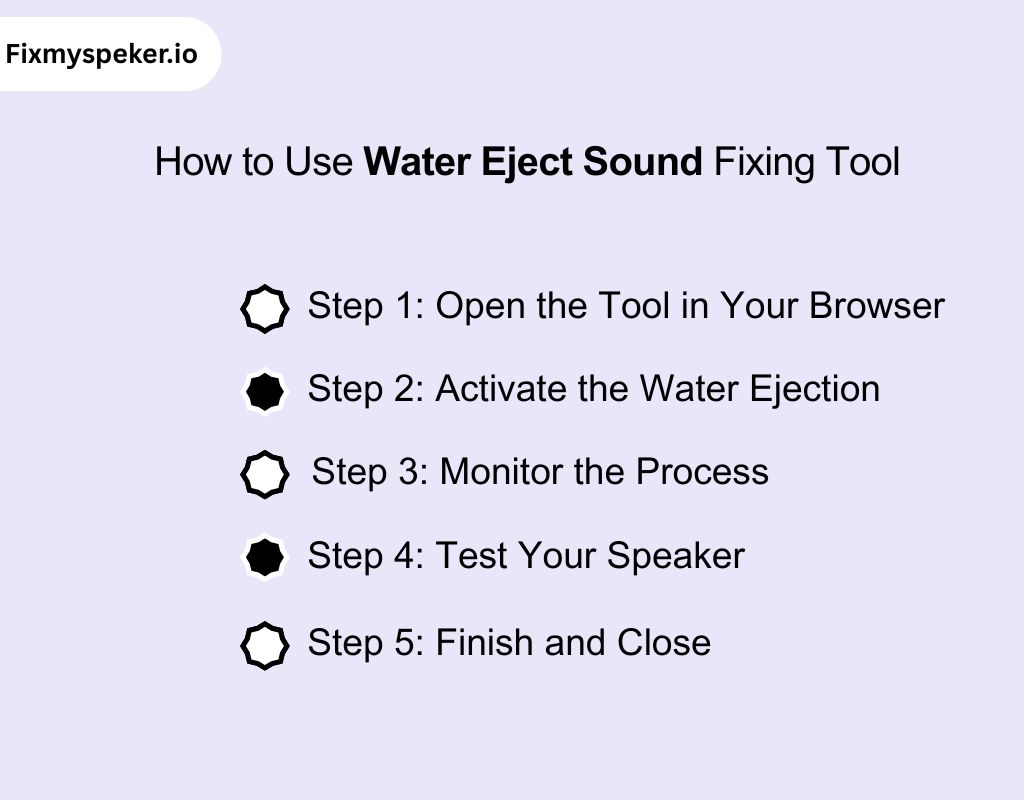
You don’t need to download anything. Our tool works directly in your browser to restore your speaker sound quickly and safely. Thus making it simple for anyone to fix water-related audio issues without extra apps.
Step 1: Open the Tool in Your Browser
Visit the online water eject sound tool using any browser. There’s no need for downloads or installations. Everything runs online, so you can start fixing your speaker immediately.
Step 2: Activate the Water Ejection
Press the ejection button to initiate sound waves that safely push out water and dust. The vibrations work with your speaker’s structure, clearing moisture without damaging electronics or affecting your device’s normal functioning.
Step 3: Monitor the Process
Watch the on-screen indicators while the sound runs. These visuals show progress, so you know when water is cleared. Keeping an eye ensures no overuse and helps you feel confident the process is working effectively.
Step 4: Test Your Speaker
Play audio or make a call to check clarity. If the sound is still muffled, run the tool again briefly. Repeating the process removes any remaining moisture and ensures your speaker delivers crisp sound.
Step 5: Finish and Close
Once the speaker is clear, simply close the browser tab. Your device is ready to use. The process is safe, fast, and efficient, leaving your audio fully restored without installing any water eject sound app.
Tips to Achieve Better Results with the Water Eject Sound Tool
To get the best outcome from our tool, follow these practical tips carefully. These simple adjustments help you fix your speaker quickly and efficiently every time.
Keep Your Device Steady While Using the Tool
If you are using an iPhone, hold your phone firmly and avoid moving it during the water ejection process. This ensures the sound waves reach every part of the speaker without interference.
Use Short Sessions for Better Accuracy
Run the tool in short intervals rather than one long session. This prevents overloading the speaker, reduces risk of damage, and ensures trapped water is expelled gradually for clearer audio.
Check Speaker Openings for Debris
Before using the tool, inspect your device’s speaker grills. Remove any dust, lint, or debris carefully. Clear pathways help the tool push out water and improve the overall sound restoration.
Avoid External Interference
Turn off music, notifications, or vibrations during the water ejection process. Minimizing other sound or vibration sources ensures the tool focuses solely on clearing water from your speaker.
Repeat if Needed
Some water may remain after the first session. If your speaker still sounds muffled, run the tool again briefly. Repeating in small doses often gives the clearest results.
Alternatives to Remove Water from Speaker Sound
You can fix muffled speakers in different ways, including simple at-home methods. Here are safe and effective ways to remove water and restore clear sound.
Tilt and Tap Your Device
- Hold your device at a slight angle, speaker side facing down.
- Gently tap the device against your palm a few times.
- Rotate the angle slightly and repeat to encourage water drainage.
- Continue until the muffled sound reduces noticeably.
Use a Soft Cloth or Tissue
- Take a lint-free cloth or tissue.
- Lightly dab the speaker area without pressing too hard.
- Wipe around the speaker grills to soak up surface moisture.
- Avoid inserting the cloth into openings to prevent pushing water deeper.
Let It Air Dry
- Place your device on a flat, ventilated surface.
- Ensure the speaker is facing downward if possible.
- Leave it untouched for a few hours or overnight.
- For iPhone users, this method works especially well to clear water eject sound iPhone issues naturally.
Use Silica Gel Packets
- Collect several silica gel packets (like the ones from packaging).
- Place your device in a small sealed container with the packets.
- Keep it there for a few hours to let moisture absorb.
- Remove the device and test the speaker sound.
Create Gentle Vibrations
- Play a low-frequency tone or soft music at moderate volume.
- Hold your device so the speaker faces a soft surface.
- Let the vibrations gently push out remaining droplets.
- Repeat for a few minutes and check if sound improves.
Avoid Heat Sources
- Do not use hairdryers, microwaves, or ovens.
- Heat can damage internal circuits and speaker membranes.
- Stick to natural methods like air drying or silica gel.
- Patience is key, rushing with heat can worsen the problem.
Why Do You Need to Fix Water Eject Sound?
You might think a little water in your speaker isn’t a big deal, but it can affect your audio and even damage your device over time. Here’s why fixing it matters:
- Maintain Clear Audio: Water trapped in your speaker muffles sound and makes calls, music, or videos hard to hear. Fixing it ensures you get crisp and consistent audio whenever you use your device.
- Protect Your Device from Damage: Moisture can corrode delicate components inside your speaker. Acting quickly to remove water prevents long-term damage and keeps your phone or tablet working properly.
- Prevent Costly Repairs: Leaving water in your speaker can lead to expensive professional repairs later. Fixing the issue early saves time, money, and frustration down the line.
- Improve Call Quality: Water in the speaker often distorts your voice or the person you’re talking to. Fixing it restores clear call quality, so you never miss a word during important conversations.
- Keep Music and Media Enjoyable: Whether you’re listening to podcasts, music, or watching videos, water in your speaker reduces sound clarity. Removing it lets you enjoy your media as it was meant to sound.
Fixing the Water Eject Sound iPhone: Causes and Solutions
Even a small splash can mess with your speaker, making calls and music hard to hear. Understanding common causes helps you fix the issue quickly and safely.
Water trapped inside the speaker
When water gets into the speaker mesh, it dampens the diaphragm and muffles audio, making calls, music, and notifications sound distorted or unusually quiet.
Solution: Tilt your iPhone gently and let gravity work. Use a soft cloth to absorb any visible moisture. This helps restore clear sound faster. And if this does not help, use our tool to eject water out with different sound frequencies.
Moisture in the charging port affecting audio signals
Water entering the charging port can interfere with the internal circuitry, leading to crackling, muffled sound, or temporary interruptions in audio output.
Solution: Disconnect all cables and allow the port to dry. Avoid charging until fully dry to prevent short circuits or distorted sound. Our tool has high frequencies that work on tiny droplets. You can use it to boost the drying process.
Residual water causing vibrating noise
Even after visible moisture is gone, water trapped in speaker chambers can cause rattling, vibrating noise, or echoing, disrupting your listening experience.
Solution: Use the built-in water eject function or let the speaker vibrate gently. Running it for a short period can help remove lingering water. Using iphone water eject sound for 1 minute can often clear stubborn moisture effectively.
Software glitch after water exposure
Exposure to water can trigger minor software glitches, temporarily affecting audio processing and causing unusual volume drops, muffled tones, or inconsistent sound behavior.
Solution: Restart your iPhone and check for system updates. This often resolves minor audio bugs caused by sudden water exposure.
Our Tool vs Other Tools: Why Our Water Eject Sound Tool is Better
Many tools claim to fix water in your speakers, but not all deliver reliable results. Here’s why our tool stands out compared to typical alternatives.
| Feature/Aspect | Our Tool | Other Tools |
| Device Coverage | Works seamlessly with iPhone, Android, MacBook, and, handling AirPods water eject sound effectively | Limited device compatibility, often iPhone or Android only |
| Precision Audio Targeting | Detects trapped water and vibrations in the speaker without affecting surrounding components | Often clears only surface water, leaving internal moisture |
| Charging Port Safety | Prevents short circuits by targeting moisture in both speakers and ports | Other tools ignore port moisture, risking damage |
| Frequency-Specific Ejection | Uses custom sound frequencies to expel water without distorting audio | Generic vibration, often less effective |
| Residual Moisture Detection | Monitors lingering water for complete removal | Many tools leave traces, requiring repeated attempts |
| Cross-Platform Support | Works online across devices without installation | Platform-specific tools limit accessibility |
| Reliability | Consistently restores normal sound output | Inconsistent results, sometimes causing distortion |
| Cost | Free to use for basic fixes | Many require subscription or paid versions |
Common Challenges When Using the Water Eject Sound Tool
Even the best tool can have a few tricky spots. Knowing these challenges helps you get the best results without frustration or damage to your device.
Interference from Dust or Debris
Debris can block the sound waves used by the tool. Make sure the speaker grill is gently cleaned before starting. This prevents blockage and improves overall effectiveness of water ejection.
Overuse Leading to Vibration Fatigue
Running the tool too long can cause excessive vibration, which may stress internal components. Short, controlled sessions are recommended to safely remove water without overworking the speaker.
Issues with Water in the Charging Port
Water trapped in the charging area can affect audio performance. The water eject sound charging port feature helps minimize risk, but always ensure the port is dry before charging to avoid short circuits.
The Quick Water Eject Shortcut to Fix iPhone Speaker Issues
Using a shortcut can make clearing water from your iPhone speaker faster and safer. Here are simple steps to use it effectively and get clear sound quickly.
- Access the Shortcut: Open your iPhone’s shortcut menu and locate the dedicated water eject sound shortcut. This built-in feature helps you remove water quickly without extra apps or hardware.
- Run the Shortcut
Tap the shortcut to start. Your iPhone emits a specific tone that vibrates the speaker, gently pushing water out while keeping your device safe from damage. - Repeat if Needed
If the speaker still sounds muffled, run the shortcut a second time. Multiple quick sessions often help remove stubborn water trapped inside the speaker. - Check the Sound
After using the shortcut, play audio or make a call to confirm the speaker is fully clear. If muffling persists, inspect for debris or residual moisture. - Combine with Basic Care
For best results, gently tilt your iPhone and wipe off any visible moisture before or after running the shortcut. This supports the tool in restoring clear sound faster.
Fixing Water Eject Sound Across Devices
Clearing water from speakers works differently on each device. You can also use a water eject sound download to help remove moisture safely and quickly. Here is the cleaning procedure for different devices:
Fix water eject sound android
- Power on your Android device before starting water removal procedures carefully.
- Tilt the phone slightly to allow trapped water to escape naturally.
- Play our water eject sound for android on the top of this page.
- Wait for letting all the water out from the speaker.
- Wipe the speaker area carefully with a soft, dry cloth.
Fix water eject sound samsung
- Open Device Care or sound settings to access water eject features.
- Play the water eject tone to vibrate the speaker gently.
- Or you can use our tool on the top of this page to easily eject water out from a Samsung speaker.
- Avoid charging the device until the speaker and port are fully dry.
- Make a test call or play audio to check sound clarity.
Fix water eject sound macbook
- Shut down MacBook before attempting any water removal on speakers.
- Tilt the MacBook gently to let any water drain from speaker grills.
- Use a soft cloth to wipe away visible moisture carefully.
- Play low-frequency audio tones to push residual water out slowly. You can use the tool on top of this page to do it.
Fix water eject sound laptop
- Turn off the laptop and unplug all external devices safely.
- Tilt and gently shake the laptop to release trapped water with the help of gravity.
- You can use the water eject sound tool on the top of this page for your laptop speaker.
- Use compressed air or a soft brush to remove particles carefully.
- Test the speakers with audio after complete drying for safety.
Conclusion
In conclusion, dealing with water eject sound in your device doesn’t have to be a hassle. Whether it’s from accidental spills, humidity, or water exposure, it’s a common issue that can disrupt your audio experience. With the right steps, you can easily fix the issue without needing professional help.
By using our tool and following these steps, you’ll restore your device’s sound clarity without the need for costly repairs. Keep your device in top condition, and enjoy clear, crisp audio every time.
Frequently Asked Question
Does the Apple Watch have a water eject sound feature?
Yes, the Apple Watch water eject sound feature helps clear trapped water from the speaker. After exposure to water, swipe up on the watch face and activate the water lock option. The watch emits a sound to eject water from the speaker.
How do we fix our speaker?
Fixing a speaker involves removing trapped moisture. For iPhones or AirPods, using the water eject sound feature or gently tapping your device can help clear water from the speaker. Dry the device and check sound quality afterward.
Does water remover sound work?
Yes, water remover sound works by emitting specific frequencies that vibrate the speaker diaphragm. These vibrations help push water out without damaging your device. It’s an effective solution for clearing trapped moisture and restoring audio clarity.
Does water eject on iPhone really work?
Yes, the water eject feature on iPhone works effectively to remove water from the speaker. By emitting specific sound frequencies, it uses vibrations to push out moisture, restoring clear sound. It’s an easy fix for water-related audio issues.
Does water eject work on AirPods?
Yes, the water eject sound AirPods function works effectively. The vibrations from sound waves help clear water from the tiny speaker components, ensuring your AirPods are restored to full sound quality. It’s a quick fix for water damage.